This is the second post in my Claude Code series. If you haven't read the first post covering what Claude Code is and the Core Four framework, start there. Here, we go hands-on: querying the general ledger in natural language and running actual reconciliations.
Talking to Your General Ledger
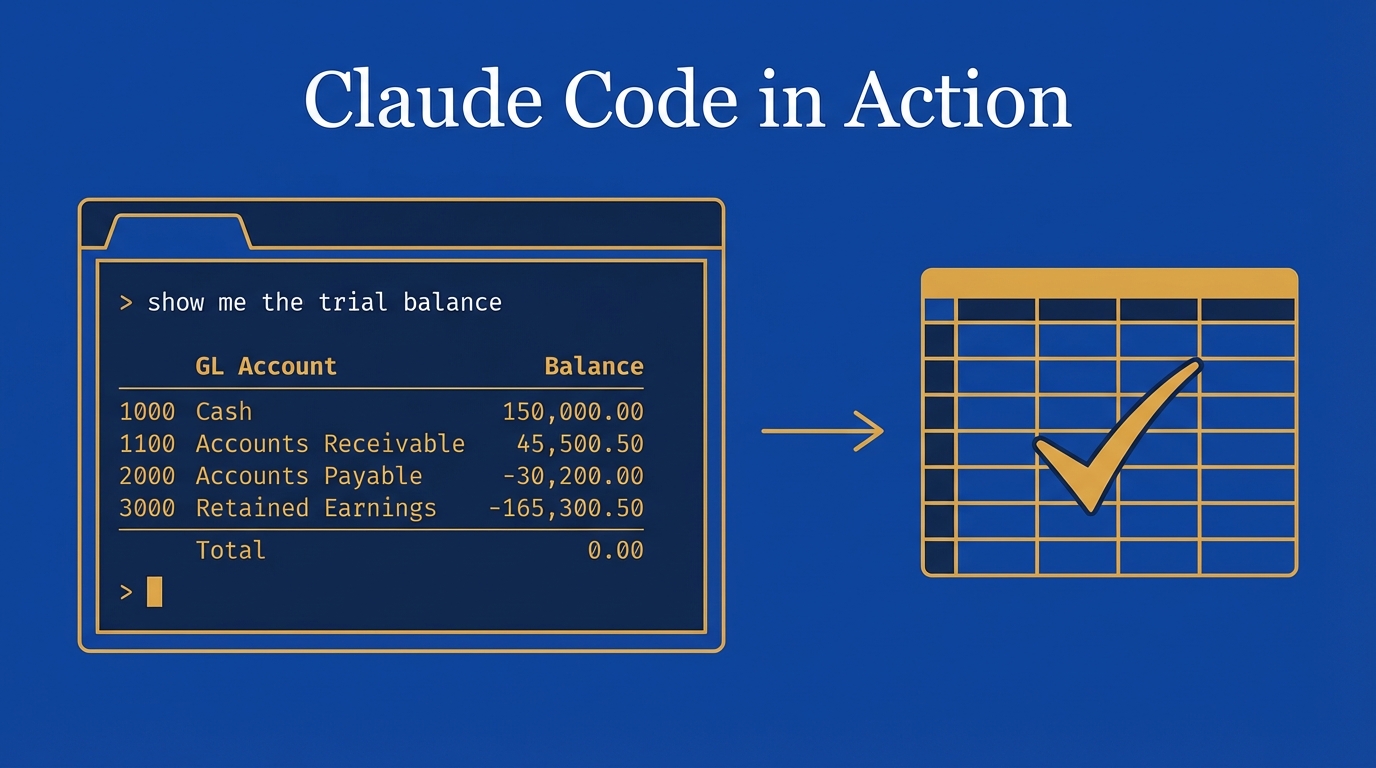
With the database query skill set up, here's what it looks like:
"Get me the trial balance for Acme as of 10/31/2025"
Claude Code understands the intent, loads the skill, runs the SQL, and returns a trial balance -- checking account, AR, all the standard GL accounts. Then I say "show me the P&L" and it does the same. "Show me the balance sheet as of November 30th" -- done.
It feels like Jarvis from Iron Man. If you pair it with a speech-to-text tool like Whisper Flow, you can literally speak your queries.
How the Skill Works
Three key files power this:
skill.md -- The instruction set. If someone asks for a trial balance, get it as of a specific date. Account activity? Filter by GL and date range. It maps intent to action.
reference.md -- Exposes the database schema: column names, types, descriptions, and table relationships. The AI reads this far better than it reads an ERD diagram. For real data warehouses (SQL Server, Databricks), you can get the schema via a DESCRIBE command.
query.py -- The actual SQL. Trial balance sums debits and credits by GL up to a date. Activity queries filter by account and date range. Claude Code parses the date from your message, plugs it into the query, returns results. Claude wrote all this code -- took about five minutes.
Drilling Into Transactions
The real power is in follow-ups:
"Show me all the transactions that make up inventory for the year"
Two journal entries. Opening balance zero, a purchase, a sale, closing balance $1,200.
"Show me journal entry 10"
Posted February 10, 2025. Cash, sales revenue, COGS, inventory. It calculates gross margin without being asked. Once you give the agent a database skill, you just ask -- no ERP navigation, no Excel exports.
Reconciliation: Putting It All Together
Every accountant has done reconciliations. What follows is a proof of concept -- simplified on purpose. The goal: demonstrate that with the right data access and supporting schedules, you can automate this.
Cash Reconciliation
I typed:
"Run the reconciliation for GL 1010 for January 31st, 2026"
Here's what happened:
- Loaded the reconciliation skill -- read the top-level
skill.mdfor general instructions - Found GL-specific instructions in a subdirectory for 1010, which specified three data points: current month ending balance, prior month ending balance, and net activity
- Queried the database for each
- Read the bank statement PDF
- Compared GL to bank, identified a variance (a bank charge not in the GL)
- Output to Excel -- formatted, complete, reconciliation done
About two minutes total. It self-corrected when it hit an error with a template file -- switched to OpenPyXL and built its own format. That's one of the things I appreciate about Claude Code: it doesn't just give up on errors.
Then I said "do the reconciliation for cash for February" -- note I said cash, not GL 1010. It still worked because I have an index.yml file mapping GL accounts to aliases. "Cash" maps to 1010. Claude Code found the match and ran it.
Hedging Reconciliation
Same flow, different account and instructions. Since Acme Corporation is an anvil manufacturer, the hedging instruments are metal futures.
"Can you do the reconciliation for hedging for January 26?"
Claude Code queried for the prior month balance (zero), picked up the unrealized gain of $425,000 from the portfolio statement PDF, and reconciled. For February, it recognized reversing entries. The reconciliation tied -- $785,000 ending balance matched the portfolio statement.
The Architecture
This is where progressive disclosure pays off:
- Top-level
skill.md: General reconciliation workflow (identify type, query database, obtain support docs, compare, document) - GL-specific subdirectories: Each account has its own
skill.mdtailored to how that account reconciles
No two accounts reconcile the same way. Cash compares to a bank statement. Fixed assets need a roll-forward (beginning balance, additions, disposals, depreciation, ending). Hedging compares to a portfolio statement. The architecture supports this out of the box.
Tips from Building This
- Include the SQL query as a tab in the Excel output. A reviewer can copy it, run it, and verify the trial balance figures. Great for audit support.
- The
index.ymlfile is clutch. Map GL accounts to aliases so you can say "cash" instead of "1010." - Chain skills together. I asked Claude Code to reconcile and generate a Nano Banana image representing the recon. Metal futures with copper, silver, and gold. Just adds a little flavor to the workpapers.
- Mind your usage limits. I hit my plan limit mid-demo. Budget accordingly or look at the unlimited tier.
Series Recap
Across these two posts, we covered:
- What Claude Code is and how to install it
- The Core Four -- Model, Context, Tools, Prompts
- Skills -- from image generation to database queries
- Database access -- querying your GL in natural language
- Reconciliation -- automated, customizable per GL account, output to Excel
The throughline: if you're an accountant looking to get serious with AI, understand your data and how to access it. Give Claude Code the right context, build targeted skills, and prompt with intention.
Up next, I'll tackle journal entries and a couple other accounting-specific skills. Stay tuned.
-Bennett